
This article draws on Cooper Development Group’s original page. Cooper Development Group is part of the SCALZ client network. The original source is identified so you can check the context.
Related service or subject: commercial remodeling services from Cooper Development Group.
Proposed equipment list and the planning packet
Check product substitution requests alongside the business needs in a proposed equipment packet to share with your project team and the responsible authorities, because Cooper Development Group notes that equipment selections often drive downstream utility and permit questions.
The opening step is to list every piece of proposed business equipment and attach available equipment specifications and the utility information the project team needs to verify, so that each item has a clear record for review by design professionals and the authority having jurisdiction. This links the equipment selection sequence with early verification steps suggested by the source.
The Cooper Development Group guidance stresses that the packet is not a substitute for a licensed assessment, yet it functions as a practical communication tool between the owner, contractor, and any reviewing authority. Record the proposed equipment and the utility demands described in its specifications, then ask qualified reviewers which building information must be confirmed.
The purpose of the packet is to make it simple for reviewers to see what is proposed, what equipment information is available, and what questions remain, which helps prevent equipment orders that outpace verification or permitting.
Document provenance and building records to attach
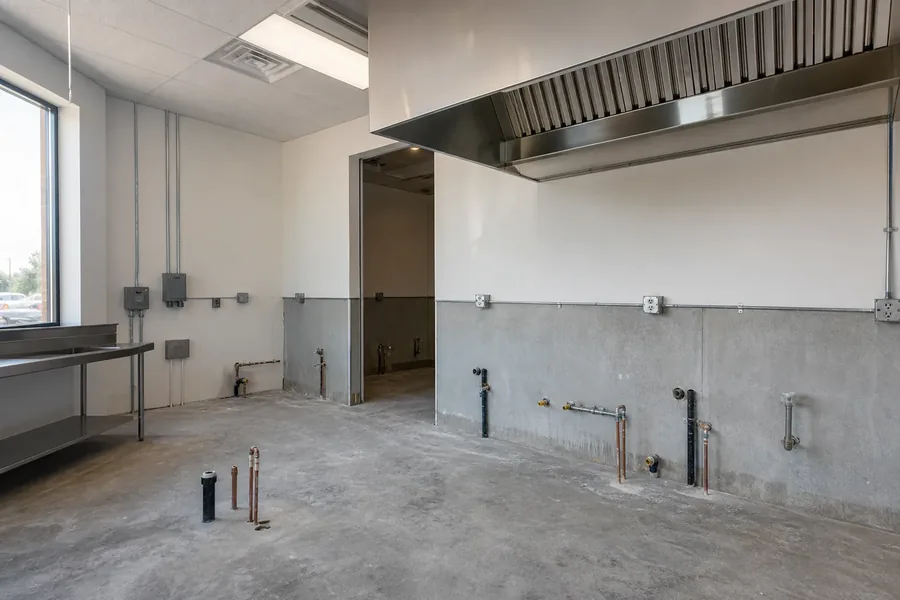
Assemble provenance documentation for existing building utilities, because Cooper Development Group recommends matching proposed loads to verified building information rather than assumptions about prior tenants. Gather utility account records, prior permit files, available building drawings and utility records, and attach clear notes about gaps in those records so the review team and the authority having jurisdiction know what to verify.
This provenance trail helps frame what is known and what the team is asking the utility or code office to confirm for the specific property. A previous tenant's setup does not prove that the building can serve new equipment; the responsible team must verify current capacity for the proposed use.
One useful step drawn from the CDG material is to flag items that are undocumented or that rely on an earlier tenant's configuration, because the source highlights that assumptions about past tenants can be misleading.
CDG’s commercial remodeling services provide related project context; that page does not verify capacity for a specific building.
- Mark missing building records and the questions each gap raises.
- Ask the responsible utility or reviewer what service records and prior permits are available.
Unresolved questions to send to authorities and consultants
Write unresolved questions for the appropriate utility, permitting office, or licensed design professional before equipment is purchased.
The question package should separate water and sewer records from electrical, mechanical, and fire-system records, then identify the responsible provider or qualified reviewer for each. Avoid asking for rulings or design work in this packet; instead request the documentary facts the reviewers maintain.
The CDG source emphasizes that answers are time sensitive and should be reconfirmed as the project moves forward, so include spaces in your question list to record the date and the name of the person or office that provided each response.
Typical questions to include are an explicit request for documented service sizes, any recorded constraints on existing systems, and whether prior reviews exist for the property. This approach keeps the exchange factual and creates a clear trail for later decisions about equipment selection and potential upgrades, which should be driven by the documented replies.
- Record the date and name of each response so later equipment choices use current information.
- Treat missing capacity records as open questions, not proof that a proposed item will fit.
Recording responses and maintaining the decision trail
Build your response log, because Cooper Development Group highlights the importance of capturing recorded professional responses as part of the project record.
Create a simple response trail that ties each unresolved question to the answering authority or licensed professional, the documentation or citation provided, and the date of the response, so the owner and project team can reference what was confirmed before ordering equipment.
This response trail is the accountable record that distinguishes informed decisions from assumptions about capacity or permitting needs described in the CDG material.
The CDG guide also advises treating certain confirmations as hold points in the schedule, meaning the team should not finalize equipment purchases until the relevant responses are recorded.
Use the response trail to flag outstanding items that require a follow-up review or an updated documentation request, and circulate the log to the design team, contractor, and the property owner so everyone sees the same verified information.
Keeping this log focused on documented answers rather than interpretations helps the project proceed with a clear audit trail and reduces the risk of equipment arriving before the necessary verifications are complete.
- List the proposed equipment and attach available equipment specifications.
- Separate verified building records from assumptions about a previous tenant’s setup.
- Leave capacity determinations to the responsible utility and qualified professionals.